Clash of Clans New UI 2026: Where Every Button Moved
The new Build Menu replaces the Laboratory, Blacksmith and Pet House buttons. Where the war button, battle log, settings, shield and magic items went.
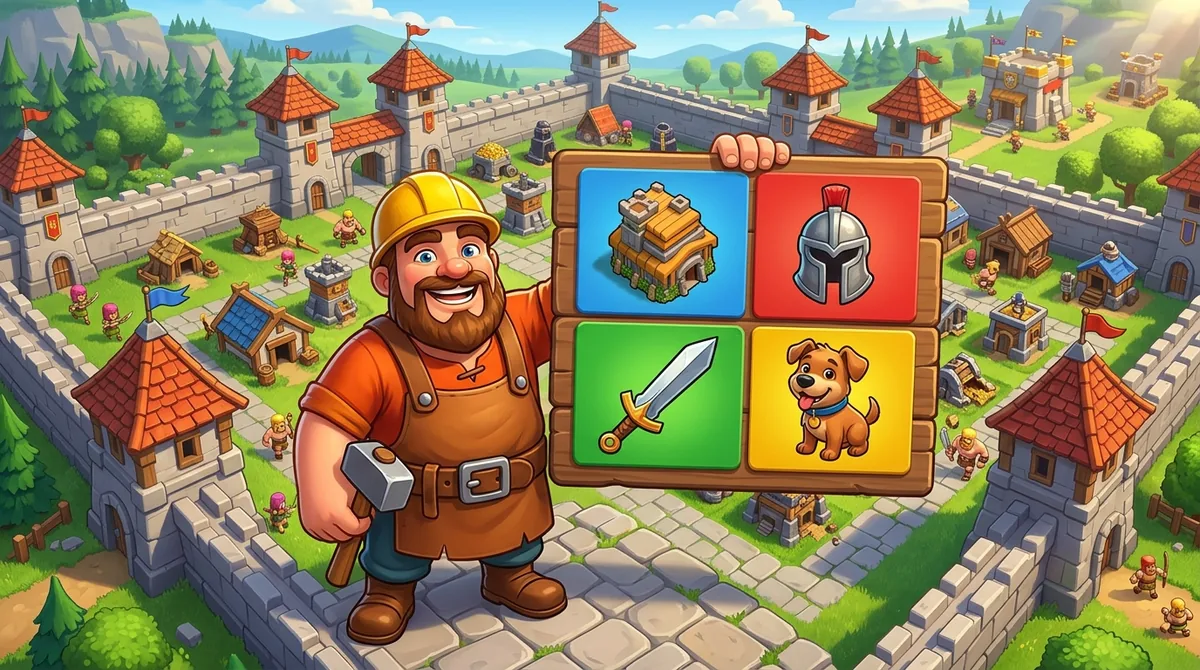
The Short Version
Quick answer: Clash of Clans' new interface puts every upgrade in one Build Menu with four tabs: Building and Heroes, Army Upgrades, Hero Equipment and Hero Pets. The war button only shows during a war. Settings moved into your Profile. The battle log and Edit Army now live inside the Battle button.
Supercell's line is that nothing was removed. Everything was moved.
This guide follows Supercell's announcement of October 8, 2026. All details are as of October 2026.
When the New UI Arrives
Supercell announced the revamp on October 8, 2026, in a post called We've Revamped the Clash of Clans User Interface.
It didn't give a date. The post only says the new interface will be live soon.
I read that post in full, and I read a creator's walkthrough of the preview build. They agree on every change below.
When it lands, your first login starts a short walkthrough of the Build Menu. Optional mini tutorials then cover the Battle screen, your Profile and the social features.
You can skip them. This page is the cheat sheet for when you can't find something.
The New Build Menu
This is the heart of the update. One button opens every upgrade in the game.
| Tab | What it replaces |
|---|---|
| Building and Heroes | Tapping buildings one by one |
| Army Upgrades | The Laboratory |
| Hero Equipment | The Blacksmith |
| Hero Pets | The Pet House |
Each tab lets you filter by type and sort by cost. Your filters stay set for the rest of that play session.
Why does this matter? Before, a lab upgrade meant finding the Laboratory on your map, tapping it, then picking a troop. Now it's Build, then the Army Upgrades tab. The same shortcut covers equipment and pets, which used to need two separate buildings.
The old route still works. You can still tap the Laboratory itself and upgrade from there.
Your free builders and researchers now show next to the Build button. They're no longer in the top bar.
Suggested Upgrades Stay
The Build Menu keeps the suggested upgrades list at the top.
It's the same idea as before. The game proposes what to start next based on what you can afford.
That list is a convenience, not a plan. It doesn't know whether you farm, push trophies or war.
Supercell admits this in its post. It lists better upgrade organization beyond the suggested order as something it still wants to improve.
Until then, it pays to follow a real order. Our TH18 upgrade priority guide lays one out for the top Town Hall.
Where the Battle Log Went
The battle log button is gone from the main screen. It lives inside the Battle button now.
Tap Battle and you'll see your attack and defense logs for both regular and ranked battles. Revenge attacks start from there too.
To make it easy to spot, the Battle button shows small icons:
| Icon on Battle | Meaning |
|---|---|
| Flaming sword | A revenge attack is ready |
| Eye | Someone is attacking you live |
Tap the icon and it takes you straight to the right spot.
The star bonus progress also sits above the Battle button.
Where Edit Army Went
The separate Edit Army button above Battle is gone too.
You now edit your army from inside the Battle menu. Your saved armies and recipes are there as before.
In practice this changes little. The game already shows your army before every regular or ranked attack, so you can fix it then.
It does save a trip. You no longer need to open the Army screen before you search.
If you train one army and keep it, you'll hardly notice this change at all.
Where the War Button Went
This one confuses people most.
The Clan War button now shows only while your clan is in a war. Outside a war, it's hidden.
You can still reach wars at any time through Clan chat. A new icon there lets you track wars, and leaders sign the clan up from that screen.
You can hide that war panel in chat if you don't want it every time you open chat.
Clan War Leagues work the same way.
The logic is simple. Many players aren't in a clan or a war, so the button was clutter for them.
Where Settings Went
The Settings button merged into your Profile, at the top left.
Inside the Profile you'll find Settings, the social tab, your inbox, My Clan and clan search, and your Supercell ID.
One side effect stings. Switching accounts is now one tap deeper than before.
Supercell knows. Its post names easier profile switching as a planned improvement.
Your Profile also shows your Town Hall level next to your name and clan now, not just your experience level. It's a small change, but it's what most players look at first.
The Shield and Resources
Your shield moved to the right side of the screen, next to your gold, elixir and dark elixir.
Supercell's reasoning is short. The shield protects your resources, so it sits with them.
That clears the top of the screen. The builder and lab counters that used to sit there now live by the Build button.
The resource bars look a little different too. The small plus icons are new, and buttons now have darker backgrounds.
The darker backgrounds are there to make text easier to read over busy sceneries. It's a small move, but it's the corner you'll check most when you log in after a few hours away.
Magic Items Get Their Own Button
Books, Hammers, Runes and Potions used to hide inside the Town Hall's menu.
Now there's a dedicated Magic Items button on the main screen, down near Build.
That's the change I'd call the best quality of life fix here. Checking which potions you're sitting on takes one tap.
There's also a button for your temporary storage of magic snacks.
The Town Hall route still works, if you're used to it.
If you're saving items for Hammer Jam, this is where you'll count them before the event.
The Shop and Layout Editor
The Shop changed its job. Buildings and defenses moved to the Build Menu, so the Shop now focuses on offers and special items.
Gems, Clan War League medals and the fancy shop all live there.
The layout editor moved as well. Open the Build Menu and an Edit Layout button appears at the bottom right.
That fits how most people work. You design a layout in the build area and pick your active one from the battle side.
Copying a layout from a link still works the same. You can browse base layouts and open them straight into the editor.
Builder Base and Clan Capital
Builder Base gets the same treatment. Its Build Menu has two tabs instead of four, since it has no pets or equipment.
Clan Capital only gets a visual pass so its buttons match the new style.
Supercell says the Capital will get a proper rework in a future update. It didn't say when.
If you mostly play Capital raids, expect the least change there for now.
I checked the post for any word on Capital timing and found none.
What Supercell Still Plans to Fix
The post is open about what isn't done yet.
Supercell lists these as future work:
- 1Interface customization, including scaling.
- 2Quick actions.
- 3Easier profile and account switching.
- 4Better organization of upgrades beyond the suggested order.
So if something feels slower at first, it may change again.
Give it a week before you judge it. New button spots feel slow at first and then turn into habit. If account switching still bothers you, that's the one change Supercell has already promised to revisit.
Frequently Asked Questions
Where is the Laboratory in the new Clash of Clans UI?
Lab upgrades are in the Build Menu under the Army Upgrades tab. The Laboratory building still works too, so you can tap it the old way. The Blacksmith became the Hero Equipment tab and the Pet House became Hero Pets.
Where did the Clan War button go?
It only appears on the main screen while your clan is in a war. The rest of the time, you reach wars through Clan chat. Leaders sign up for wars from there too.
How do I change accounts in the new UI?
Open your Profile at the top left. Settings and your Supercell ID moved in there. It's one tap deeper than before, and Supercell says it plans to make switching easier.
When is the new Clash of Clans UI coming out?
Supercell announced it on October 8, 2026, and said it will be live soon. It didn't give an exact date. Your first login after it lands opens a short walkthrough.
Where do I upgrade pets now?
In the Build Menu, under the Hero Pets tab. You can filter and sort there by cost. Our pet tier list shows which pet suits each hero.