Friendly Challenges in Global Chat: CoC 2026 Guide
Friendly Challenges now work in Clash of Clans Global Chat, with a leaderboard, live spectating and replays. Every limit, rule and setting in one guide.
Global Chat Challenges in Short
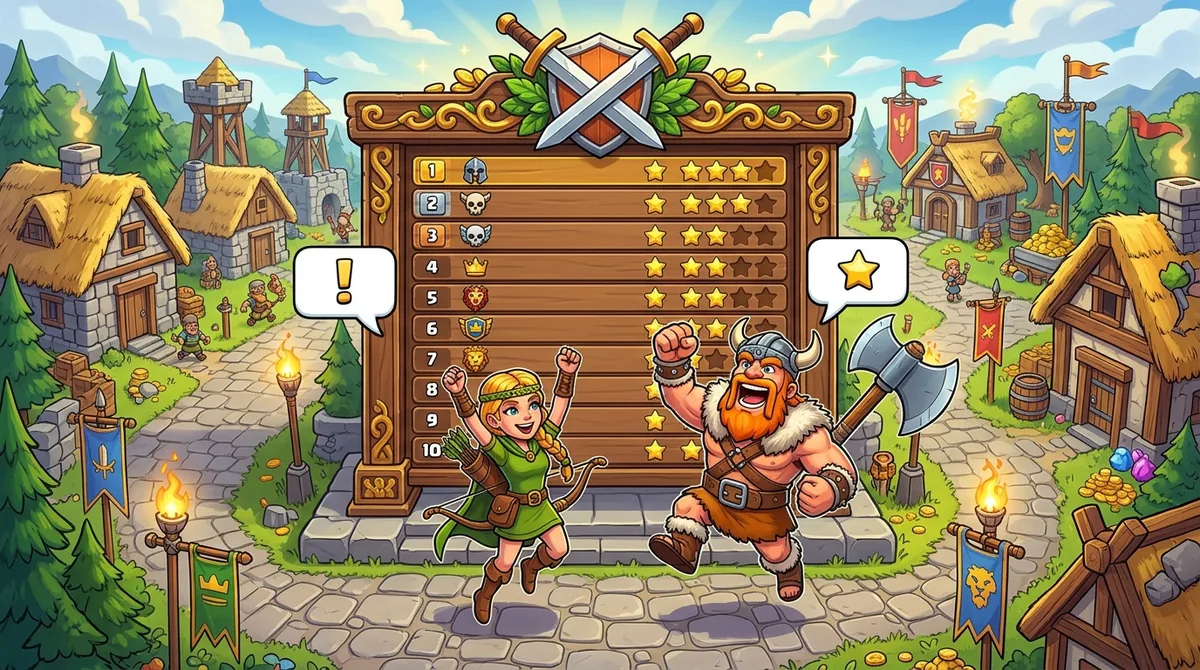
Quick answer: Since the November 2026 update, you can post a Friendly Challenge in any Global Chat group or Town Square. It stays open for 24 hours, anyone at your Town Hall level or higher can attack it up to 3 times, and a leaderboard ranks every attacker by stars, then destruction, then time.
It turns your base into a public test. Strangers attack it, and you see exactly how it holds up.
I read the Global Chat part of the Town Hall 19 release notes and counted every limit. This guide puts them in one place, along with the new sharing and translation tools.
How to Start a Challenge
You start a challenge the same way you do in Clan Chat. Tap the challenge button beside the chat text box.
It works in Global Chat groups and in Town Square, the big public channel.
Friendly Challenges are Home Village only. If you're in the Builder Base or Clan Capital, an indicator points you back home.
The new part is what happens after you post it. In Global Chat, the challenge stays open after the first attack. Everyone who attacks it lands on one leaderboard.
Every Limit in One Table
I counted seven limits in the release notes. Here they are.
| Rule | Limit |
|---|---|
| How long a challenge stays open | 24 hours from creation |
| Attacks per player, per challenge | Up to 3 |
| Active challenges you can create | Up to 3, across all your groups |
| Active challenges per group | Up to 10 |
| Live spectators per attack | Up to 15 |
| Who can attack | Your Town Hall level or higher |
| Village | Home Village only |
The 3 challenge limit is per player, not per group. So if you post 3 challenges in one group, you can't post one anywhere else until one closes.
Who Can Attack Your Base
Players at your Town Hall level or higher can attack your challenge. Players at a lower Town Hall can't.
That's a smart rule. It stops a Town Hall 12 player from flooding a Town Hall 18 leaderboard with low results.
It also means a Town Hall 19 base gets attacked only by Town Hall 19 players.
Everyone can scout and attack at the same time. Nobody has to wait for the last attack to finish.
Each player gets up to 3 attempts. So a good attacker can learn your base on the first try and improve on the next two.
How the Leaderboard Ranks Attacks
The leaderboard uses three rules, in this order.
- 1Stars first. A 3 star attack beats any 2 star attack.
- 2Destruction percentage next. Between two 2 star attacks, the higher percentage wins.
- 3Time taken last. Between two equal results, the faster attack wins.
So time only matters as a tiebreak. Don't rush an attack to save seconds if it costs you a star.
When the challenge closes after 24 hours, nobody can attack anymore. But the leaderboard, the results and the replays stay viewable.
Watch Attacks Live
You can spectate active attacks on a challenge. Up to 15 spectators can watch one attack at once.
A Watch Live button appears if you have the chat group open when an attack starts. If you join later, you see Replay instead.
In very large groups, some live attacks may not show up for every member. That's expected, according to the notes.
Completed attacks can be replayed. But replays are lost after maintenance, as usual.
So if you see an attack you want to study, watch it soon. Don't save it for next week.
Use It to Test Your Base
This is the most useful part for most players.
Before, testing a base meant asking clanmates to attack it. Now you can post it to a group of strangers at your Town Hall or higher.
The leaderboard then shows you which attacks broke it, and the replays show how.
Look for patterns. If most 3 stars come from one side, that side is your weak spot. If attackers keep failing in one compartment, that part works.
A good start is a tested layout. You can browse base layouts for your Town Hall, copy one, then post it as a challenge to see how strangers handle it.
Use It to Practice New Armies
It works the other way too. Other players' challenges are free practice.
The Town Hall 19 update added Squads, the Heroic Spell and two new defenses. Most players haven't learned to attack around them yet.
A Global Chat challenge gives you up to 3 tries on a real base. That's enough to test an opener, adjust it and try again.
The leaderboard also shows you where you stand against other attackers on the same base. That's a quick way to see if your army is actually good.
If you need an army to start with, our Town Hall 19 attack strategy guide covers three Squad armies.
The New Highlights Tab
Busy groups can bury a challenge in a few minutes. The new Highlights tab fixes that.
Tap the star button at the top right of a chat group to open it. It collects every Friendly Challenge in the group, so none get lost in the feed.
It's a browse and react view. There's no box to type in.
Manually highlighted posts come first. Auto highlighted posts come next, newest first.
So if you run a group, highlight the challenges you want members to see. They'll stay at the top.
Share Replays, Bases and Armies
The update also lets you share more into Global Chat groups. You can share attack and defense replays, base layouts and army compositions.
You share them from the same screens you use for Clan Chat. That's the Battle Log, the layout editor and army training.
One share popup covers everything. It offers a copy link, a QR code, Clan Chat and your chat groups. Your clan is always the first row.
Army shares leave out temporary and event troops, the same as in Clan Chat.
If a replay no longer exists, the share shows a "replay not available" message. You can also turn off shared links from others in your settings.
Chat Translation on Your Phone
Global Chat mixes players from many countries. So the update added translation.
Messages in other languages the game supports now show a Translate link. Translation runs on your device through Google Translate, so no chat text leaves your device.
The first time you translate a language, a popup asks first. It also warns about a one time language pack download of up to 90 MB.
After you accept, Auto Translate turns on for that language. Translated messages carry a "translated by Google" label.
You can turn Auto Translate off from a message's menu. Once off, it stays off, even if you translate one message by hand later.
Settings for Group Owners
If you run a Global Chat group, you have some control.
Groups can turn off challenges entirely in group settings. That's useful for a group meant for talk, not attacks.
You can't change the core limits, though. Every group still has a cap of 10 active challenges, and every player can create 3 at most.
Emotes also work in Global Chat groups. Supercell's announcement says they arrive as their own messages, the same as in Clan Chat. Our Prestige Shop guide explains how to earn the league emotes.
For busy groups, the Highlights tab is the best tool you have. Use it to keep the best challenges visible.
Where the Rules Come From
Every rule here comes from the Global Chat section of the Town Hall 19 release notes.
Supercell can change these limits in a later update. If the game ever shows a different number, trust the game.
Here's a quick way to start today.
- 1Join one active Global Chat group at your Town Hall.
- 2Post your war base as a challenge.
- 3Attack two other challenges with the army you want to learn.
- 4Check the leaderboard and replays after 24 hours.
That's a free base review and a free practice session in one day.
Frequently Asked Questions
Can you do Friendly Challenges in Global Chat?
Yes. Since the November 2026 update, you can post a Friendly Challenge in any Global Chat group or in Town Square. It stays open for 24 hours and ranks every attacker on a leaderboard. New to the groups? Our Global Chat guide explains how they work.
How many times can you attack a Global Chat challenge?
Up to 3 times per challenge. Players at your Town Hall level or higher can attack it, and the leaderboard ranks attacks by stars, then destruction, then time.
How many challenges can you post at once?
Up to 3 active challenges across all your groups combined. Each group can hold up to 10 active challenges at once, and each one closes 24 hours after you post it.
Can lower Town Halls attack your challenge?
No. Players can only attack villages at their own Town Hall level or higher. So your leaderboard only shows attackers at your Town Hall or above.
Do Friendly Challenges work in Builder Base?
No. Global Chat Friendly Challenges are Home Village only. If you're in the Builder Base or Clan Capital, the game shows an indicator that points you back to your Home Village.