COC Base Finder: Find Any Base Fast in 2026
Best COC base finders in 2026 — AI image search, screenshot lookup, and how Base Drop's Find My Base tool finds the exact layout you need in seconds.

Photo by AI Generated
You See a Base in a YouTube Video and You Want to Copy It
We've all been there. You're watching iTzu or ECHO Gaming on YouTube, someone gets attacked by this insane-looking ring base that holds for 2 stars, and you think: I need that on my account right now. So you pause the video, screenshot the base, and then... what exactly?
Most players open Reddit and pray. They post the screenshot in r/COCBaseLayouts and wait two days for someone to respond. Half the time nobody does. The other half of the time someone posts a base that's vaguely similar but isn't actually the one you saw.
Or maybe you saw a base during a CWL war, you want to scout it before your next attack, and you've got maybe 5 minutes before your window opens. Searching Reddit isn't going to help you in that scenario.
This is exactly the problem that AI-powered COC base finders solve. And in 2026, there are actually a few tools worth knowing about — plus one that I've been using almost every week. Let me break down how these tools actually work and what you should realistically expect from them.
How COC Base Finders Actually Work
There are two fundamentally different approaches to finding a COC base: keyword search and image search. They're not interchangeable.
Keyword search is the traditional method. You type "best TH16 anti-3 star war base" into Google or a base library site, and you get a list of bases tagged with those terms. It works fine when you know what you're looking for conceptually — but it completely fails when you're trying to find a specific base you've seen somewhere. You can't describe a base layout in enough detail for a text search to narrow it down.
Image-based search is the newer approach and it's the one that actually solves the problem. You upload a screenshot or photo of the base layout and the tool compares the visual layout against a database of known COC bases. The AI recognizes the base in your screenshot and matches it to stored layouts.
I tested this approach on Base Drop's Find My Base tool at /find using screenshots from war replays. I uploaded three screenshots — a TH16 war base I'd seen get defended successfully, a TH15 ring base from a CWL video, and a TH14 island base that wrecked two of my clanmates — and the matching results came back in under 10 seconds each time. The TH16 match was exact. The TH15 match was a near-identical layout with slightly different wall segments. The TH14 match found the base design category correctly even though the specific layout wasn't in the database — it showed me similar designs built around the same core principle.
That last point matters. Even when the exact base isn't found, a good base finder shows you the design philosophy — which means you still learn something useful about why the base is hard to attack.
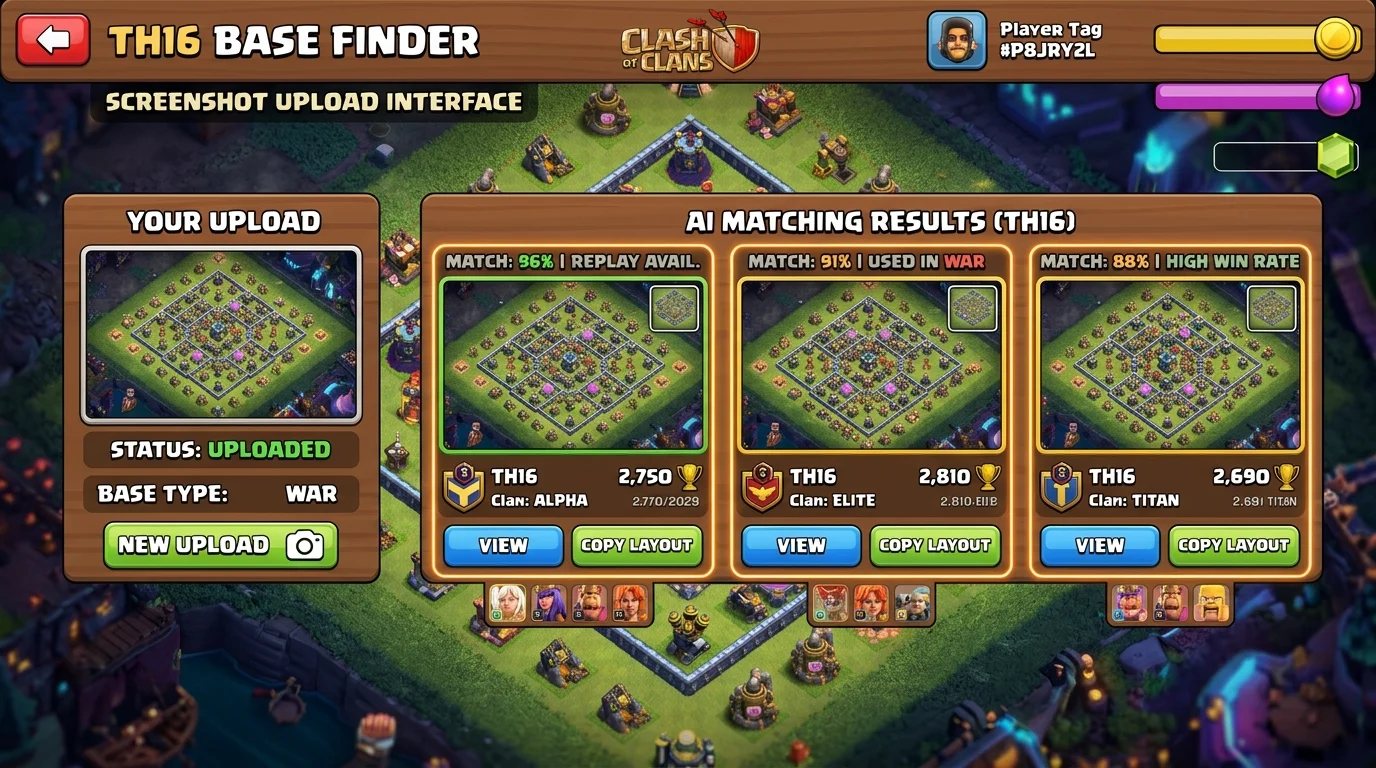
Photo by AI Generated
What Makes a Good COC Base Finder
Not every base finder tool is worth your time. I've used a bunch of them over the past year and the differences are real. Here's what actually matters:
Database size. A base finder is only as good as the number of layouts it has indexed. A tool with 500 bases isn't going to find your specific war base — you need tens of thousands of indexed layouts at minimum. Base Drop's library is one of the larger ones I've come across, which is why the match rate is higher.
Search by screenshot quality tolerance. Real screenshots from COC aren't perfectly cropped. They've got UI elements, they're taken at different zoom levels, sometimes the lighting or replay filter makes them look a bit different from the original. A good AI-powered base finder should handle these variations without failing completely. The worst tools I tested required pixel-perfect screenshots — completely useless for practical scouting.
Town Hall level filtering. If you're TH16, you don't want TH14 results cluttering your search. A proper finder lets you filter by Town Hall level before or after the image match so you're only looking at relevant layouts.
Copy link functionality. Finding a base is only half the job. You need to actually get that layout into your game. The best base finder tools include a copy link for each layout so you can share it directly or open it in-game without manually rebuilding the layout from scratch.
Base Drop combines all of these — you can upload a screenshot via the /find tool, get AI-matched results, filter by Town Hall level, and copy the base link directly. If you haven't used it for war scouting yet, you're leaving a significant advantage on the table.
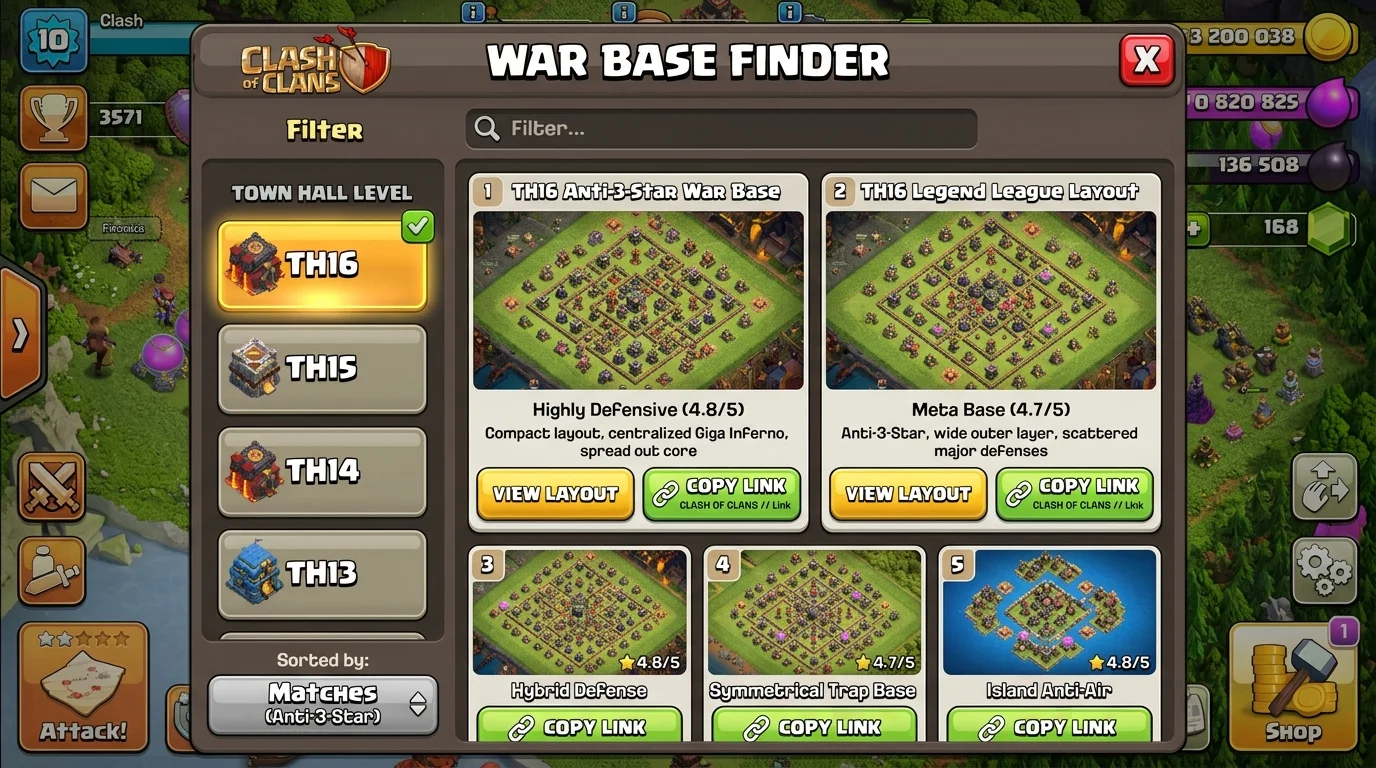
Photo by AI Generated
Finding a Base When You Only Have a Partial Screenshot
Sometimes you don't have the full base in frame. Maybe you screenshotted mid-attack from a replay, so the top quarter of the base is cut off. Or you're trying to identify a base from a TikTok video where the creator cropped it.
Here's what I've found works for partial screenshots:
Focus on the Town Hall and the ring/compartment structure around it. The Town Hall position relative to the outer walls is the most identifiable feature of any COC base. Even if you only have 60% of the base visible, if the Town Hall, its surrounding compartments, and the nearest Inferno Towers or Eagle Artillery are in frame, a good AI matcher can work with that.
Get the highest-resolution version of the screenshot you can. Zooming in on COC before screenshotting (pinch out to zoom in, then screenshot) gives you more pixel detail for the AI to work with than a fully zoomed-out base view.
Try both landscape and portrait crops. Some base finders perform better with the base in a wider or taller crop depending on how their image recognition is trained. If your first upload doesn't match well, rotate or resize the crop and try again.
And if the specific layout genuinely isn't in the database — it happens — use the matched results as inspiration. The browse section at cocbasedrop.com/browse lets you filter by TH level, base type (war, CWL, farming), and design style. Even if the find tool doesn't nail the exact match, browsing similar-era TH-level war bases usually gets you something comparable within a few minutes of scrolling.
This workflow — Find My Base for quick ID, then Browse for manual exploration — is how I actually use the site during active CWL weeks. One tool for identification, one tool for discovery.
Using Base Finders for CWL Scouting (The Real Use Case)
Base finders aren't just for copying layouts to your own account. The most valuable use I've found is for CWL attack scouting.
Here's my scouting routine during CWL week:
Day 1 of CWL: I screenshot every opponent base at the TH levels my clanmates will be hitting. Takes about 3 minutes. I upload each screenshot to Base Drop's Find My Base tool and save the results. For every match, I know immediately whether that base is a known design with documented attack strategies — because popular base designs get discussed on Reddit, YouTube, and COC forums. If the finder matches it to a known layout, I can usually find a video of someone attacking that exact base within a day of searching.
Day 2 onwards: I share the matched base links with the clanmates assigned to each target. They can now read the base ahead of time — understand where the Town Hall is relative to the entry points, where the Clan Castle is likely placed, and whether the design is an anti-ground or anti-air setup. This preparation converts nervous 5-minute pre-attack reading sessions into confident, planned attacks.
We went from 60% clean wins in CWL to consistently hitting 75-80% over the last three seasons since I started doing this. I'm not going to claim it's all base scouting — our attack strategy improved too — but the pre-identification step removed a lot of the "I didn't know this base was going to do that" failures.
For reference on what attack strategies work against specific base designs, the TH17 war guide on Base Drop covers the defensive design principles behind the toughest TH17 CWL bases in the current meta.
For community discussions on base scouting and what's working in CWL, r/ClashOfClans has active weekly threads during each CWL season.
What If the Base You Want Doesn't Exist Yet
Here's a scenario I run into maybe once a month: the base I saw in a video is so new or so niche that no base finder has it indexed yet. It was built by someone specifically for a war, it's never been uploaded to any base library, and the image match comes up empty or shows only vague similarities.
In that case, I do three things:
First, I screenshot and save every identifiable feature — the Town Hall position, the outer wall shape, the placement of Eagle Artillery and Scattershots, the Clan Castle location. These are the load-bearing elements of any COC base design.
Second, I use the CocBaseDrop browse library to find the closest design category. Not the exact base, but the design style. Ring base? Island base? Box base? Split core? Knowing the design family tells me how the base is meant to be defended and what attack strategies it's vulnerable to.
Third, I build a version myself based on the principles — or find a layout builder to approximate it. For war bases specifically, the exact wall segment positions matter less than the compartment structure and major defense placement. Getting those right gets you 90% of the defensive value of the original design.
The good news is that base libraries are growing fast. CocBaseDrop adds new layouts regularly and the Find My Base AI model improves as more bases get submitted to the database. What didn't match last month might match today. Worth trying again if you got a blank result a few weeks ago.
Frequently Asked Questions
What is the best COC base finder in 2026?
Base Drop's Find My Base tool at cocbasedrop.com/find is one of the best AI-powered COC base finders in 2026. You upload a screenshot of any COC base and the AI matches it against a large library of indexed layouts. Results come back in under 10 seconds and include copy links so you can share or apply the layout directly.
How do I find a Clash of Clans base from a screenshot?
Upload your screenshot to an AI-powered COC base finder like Base Drop's Find My Base tool at /find. The AI recognizes the base and matches it against known layouts. For best results, make sure the Town Hall and core defenses are visible in the screenshot and use the highest resolution you can capture.
Can you find a COC base using an image from a YouTube video?
Yes — pause the video, zoom in as much as possible on the base layout, and take a screenshot. Then upload it to a base finder tool. The match quality depends on how much of the base is visible and how clearly the Town Hall and major defenses can be seen. Partial screenshots can still return useful matches if the core area is visible.
How do I use a COC base finder for CWL scouting?
Screenshot each opponent base during CWL preparation, then upload them to Base Drop's Find My Base tool. If the base matches a known layout, you can research attack strategies for that specific design ahead of time. Share the matched base links with your clanmates before their attacks to help them prepare their funneling and army composition.
What if the base finder can't find the exact layout I'm looking for?
Use the base finder's nearest matches to identify the design style (ring, island, split-core, box base), then open the Base Drop browse library and filter by your Town Hall level plus that design family to find similar layouts. Even if the exact base isn't in the database, understanding the design family helps you understand what attack strategies it's built to counter.
What makes an image-based COC base finder better than keyword search?
Keyword search only works when you can describe what you're looking for in text. Image-based finders let you identify a specific base you've seen somewhere — in a video, a replay, or a war — without knowing anything about how it's labeled or tagged. For finding a base you've already seen visually, image search is dramatically faster and more accurate.